
eSIM in Singapore — Everything a Tourist Needs to Know
eSIM eliminates the plastic SIM card entirely — your device connects to a carrier wirelessly, before you even land. Discover what eSIM is, which smartphones and devices support it in 2024, and why switching to eSIM makes Singapore travel smoother, cheaper, and faster than ever.
Jamie Loh
Mobile Connectivity Writer
5G & eSIM in Singapore —
Everything You Need to Know
A comprehensive reference for travellers and expats navigating Singapore's mobile landscape in 2026 — from the technical basics to live operator setup instructions.
In This Article
What Is an eSIM — The Embedded SIM Standard, Simply Explained
An eSIM (embedded SIM) is a programmable SIM chip soldered directly onto your phone's motherboard. Unlike the plastic nano-SIM you'd push into a tray, an eSIM has no physical form factor you'll ever touch — it's activated entirely over the air via a QR code or an app.
The standard is governed by the GSMA SGP.22 specification, which defines how a device's eUICC (embedded Universal Integrated Circuit Card) stores and switches between multiple operator profiles. In plain language: your phone holds up to 5–30 carrier profiles simultaneously, and you switch between them in Settings without touching a tray.
For travellers, this is transformative. Instead of hunting for a SIM kiosk at Changi Terminal 3, you can purchase a Singapore data plan from the lounge in your home country, scan a QR code, and land with a live local number already active.

Key Concept
The eSIM chip is physically part of your device. What changes when you "switch plans" is the software profile loaded onto it — not the hardware.
Instant Activation
Active within minutes of QR scan, no shop visit required.
Multi-Profile Storage
Hold your home plan and Singapore plan simultaneously.
Carrier Locked? Check First
Some budget phones are locked to one operator — verify before travel.
Which iPhones and Android Phones Support eSIM in 2026
eSIM support is now mainstream, but not universal. Below are the definitive device lists for 2026. Note that some models sold in China or by specific regional carriers may have eSIM disabled at a firmware level even if the hardware is present.
iPhone 16 Pro Max / Pro / Plus / Base
eSIM + Dual eSIM
iPhone 15 Series (all variants)
eSIM + Dual eSIM
iPhone 14 Series (all variants)
eSIM-only in US models
iPhone 13 Series
Dual SIM + eSIM
iPhone 12 Series
Dual SIM + eSIM
iPhone XS / XS Max / XR
First eSIM generation
iPhone SE (2020 & 2022)
eSIM supported
iPhone X and older
No eSIM support
Samsung Galaxy S25 / S24 / S23 Series
Dual eSIM on flagship tiers
Google Pixel 9 / 8 / 7 / 6 Series
eSIM standard since Pixel 2
OnePlus 12 / 11 (Global)
eSIM on Global variant only
Sony Xperia 1 VI / 5 VI
eSIM supported
Xiaomi 14 Ultra (Global)
Check variant — CN model lacks eSIM
Motorola Razr+ 2024
eSIM supported
Budget Androids < SGD 300
Rarely include eSIM
Xiaomi / Redmi CN variants
eSIM disabled in firmware
Important: Even if your device model supports eSIM, it may be carrier-locked or region-locked. Always verify in your device's Settings → Cellular/Mobile Data → Add Plan. If the option doesn't appear, contact your home carrier before travelling.
How to Activate an eSIM on Singapore Operators
Step-by-step activation instructions for Singapore's two most traveller-friendly eSIM operators: Singtel (largest network, best 5G coverage) and Circles.Life (digital-first, competitive tourist pricing).
Best for: widest 5G coverage, reliable roaming
Purchase the Tourist eSIM Plan
Visit singtel.com/personal/mobile/plans/esim-tourist or use the MySingtel app. Select a prepaid tourist plan (7-day, 14-day, or 30-day data bundles are available from SGD 15).
Receive Your QR Code
After purchase, check your email within 15 minutes. Singtel sends a PDF containing your eSIM QR code and a confirmation number. Save this PDF — you cannot regenerate it.
Open Settings on iPhone
Go to Settings → Cellular → Add Cellular Plan. On Android: Settings → Network & Internet → SIMs → Add SIM. Tap 'Use QR Code'.
Scan the QR Code
Hold your camera over the printed or screen-displayed QR code. Confirm when prompted. The profile downloads in under 60 seconds.
Label and Set as Active
Name the plan 'Singtel SG' to avoid confusion. Set it as your default data line. Your old home SIM remains stored — it won't be erased.
Verify Connection
Open any browser and test your connection. You should see 5G or 4G LTE in the status bar within Changi Airport terminal immediately.
Best for: digital-first, flexible short-stay bundles
Download the Circles.Life App
Install the Circles.Life app from the App Store or Google Play. Create an account with your email. No NRIC required for tourist eSIM plans — passport details suffice.
Choose Your Plan
Navigate to 'Get eSIM' and select a Tourist Pass. Options include 3-day (SGD 8), 7-day (SGD 15), and 30-day (SGD 28) plans. All include unlimited data with a 5GB high-speed tier.
Complete Identity Verification
Upload a photo of your passport data page. Verification is automated via AI and typically completes in under 5 minutes. No physical ID check needed.
Receive the QR Code In-App
Once verified, your eSIM QR code appears directly in the app under 'My SIM'. You can also have it emailed. The code is valid for 30 days before activation.
Add the eSIM Profile
Follow the same device steps as Singtel: Settings → Cellular / Mobile → Add Plan → Scan QR. Profile installs silently in the background.
Manage Data Usage In-App
The Circles.Life app shows real-time data usage, remaining balance, and lets you top up instantly. Enable data roaming in your device settings if prompted.
eSIM vs Physical SIM — Side-by-Side Comparison
Both options will keep you connected in Singapore. The right choice depends on your device, how long you're staying, and your tolerance for setup friction. Here's how they compare across the factors that actually matter for travellers.
| Factor | eSIM | Physical SIM |
|---|---|---|
| Activation Speed | ✓Instant — scan QR, live in 2 min | 10–30 min at airport kiosk or shop |
| Setup Location | ✓Anywhere with internet (even before departure) | Requires physical kiosk at Changi, Mustafa, or operator store |
| Download Speed (5G) | Up to 4 Gbps — no hardware bottleneck | Up to 4 Gbps — identical when on 5G |
| Plan Price (7-day) | ✓SGD 8–20 depending on operator | SGD 10–25 at airport kiosks |
| Switching Plans | ✓Done in Settings — seconds | Requires new physical card purchase |
| Device Compatibility | Requires eSIM-capable device | ✓Works on any unlocked phone |
| Risk of Loss/Damage | ✓Zero — embedded in device | Card can be lost, bent, or damaged |
| Keep Home Number | ✓Yes — store both profiles simultaneously | Must remove home SIM to insert tourist SIM |
| Long-term Flexibility | Profile expires — top up or repurchase | Physical SIM can be reloaded at 7-Eleven |
sirnba's Recommendation
If your device supports eSIM, use it. The speed, convenience, and price advantages are clear for any trip under 30 days. For older devices or budget phones — especially travellers arriving from countries where eSIM is uncommon — a physical SIM from 7-Eleven or Changi Airport remains a perfectly solid option.
What You Need to Use 5G in Singapore
Singapore has one of Southeast Asia's most advanced 5G rollouts, with Singtel and StarHub-M1 (via the joint venture JV5G) covering over 95{6a7c31e628d4fe4d2a5ff3e6041e673c7e4428b9a6ea15caa8c1605179c09703} of the island's outdoor area as of 2026. But hitting 5G requires three elements to align simultaneously.
- iPhone 12 and newer (Sub-6GHz bands)
- Samsung Galaxy S21 and newer
- Google Pixel 5 and newer
- Any device with 5G NR (NSA or SA) support
- Check: Settings → About Phone → Network
- Singtel: any plan labelled '5G Ready' (SGD 15+ tourist plans include 5G)
- Circles.Life: 7-day and 30-day tourist passes include 5G access
- StarHub: 5G Tourist SIM available at Changi (SGD 18/week)
- Plans marked '4G only' will cap you at LTE regardless of device
- Orchard Road: full 5G Standalone coverage
- Marina Bay / CBD: dense 5G with mmWave trials
- Changi Airport T1–T4: 5G throughout all terminals
- Jurong East & Tampines: 5G available outdoors
- Indoor coverage: varies by building — 4G LTE fallback is common indoors
5G Speed Expectations in Singapore (Real-World 2026)
300–1,200 Mbps
Download Speed
5G Sub-6GHz outdoors
80–300 Mbps
Upload Speed
Typical Singtel/M1 SA 5G
5–15 ms
Latency
5G Standalone vs 40–60ms on 4G
Where 5G Coverage Actually Works in Singapore
Singapore's operators publish headline coverage numbers of 95{6a7c31e628d4fe4d2a5ff3e6041e673c7e4428b9a6ea15caa8c1605179c09703}+ island-wide, but real-world experience varies significantly by location and building type. Here's what to expect at the places travellers visit most — with notes on indoor vs. outdoor performance.
Orchard Road
Shopping & Entertainment Belt
Outdoor
Excellent
Indoor
Good (varies by mall)
Full Standalone 5G coverage throughout. Ion Orchard, Takashimaya, and Paragon have strong indoor 5G penetration. Expect 500–900 Mbps on Singtel outdoors.
Marina Bay / CBD
Financial & Tourist Precinct
Outdoor
Excellent
Indoor
Very Good
Singapore's densest 5G zone. Marina Bay Sands, Gardens by the Bay, and the business towers around Raffles Place are fully covered. mmWave trials active near MBS plaza.
Changi Airport (T1–T4)
International Transport Hub
Outdoor
Excellent
Indoor
Excellent
One of the best-covered airports in the world for 5G. All four terminals and the Jewel complex have comprehensive 5G indoors. Ideal for testing your eSIM immediately upon landing.
HDB Estates (Ang Mo Kio, Bedok, Jurong)
Residential Towns
Outdoor
Good
Indoor
Moderate
Outdoor 5G is well-established across major HDB towns. Indoor penetration through concrete HDB blocks is inconsistent — older blocks often drop to 4G LTE. Ground-floor void decks and outdoor common areas reliably show 5G.
Sentosa Island
Resort & Entertainment
Outdoor
Very Good
Indoor
Good
Resorts World Sentosa, Universal Studios, and the beach areas all have outdoor 5G. Hotel interiors vary. The cable car terminals and beachfront promenades offer particularly strong signals.
Jurong East / Tampines
Regional Commercial Hubs
Outdoor
Good
Indoor
Moderate
Jurong East is one of Singapore's growing 5G priority zones due to its planned smart district initiative. JEM, Westgate and IMM malls have good indoor coverage. Tampines Mall and Century Square also report solid 5G signal.
Verify Coverage with the Official IMDA Tool
Singapore's Infocomm Media Development Authority (IMDA) maintains an official national coverage checker at imda.gov.sg under the "Quality of Service" section. The tool lets you enter any Singapore postal code or street address and view independently verified 4G/5G signal strength by operator. It's updated quarterly and is the most accurate reference available — more reliable than operator-published maps.
Path: imda.gov.sg → Regulations & Licensing → Compliance & Quality of Service → Mobile Coverage Checker. Check both your accommodation address and the attractions on your itinerary before choosing an operator.
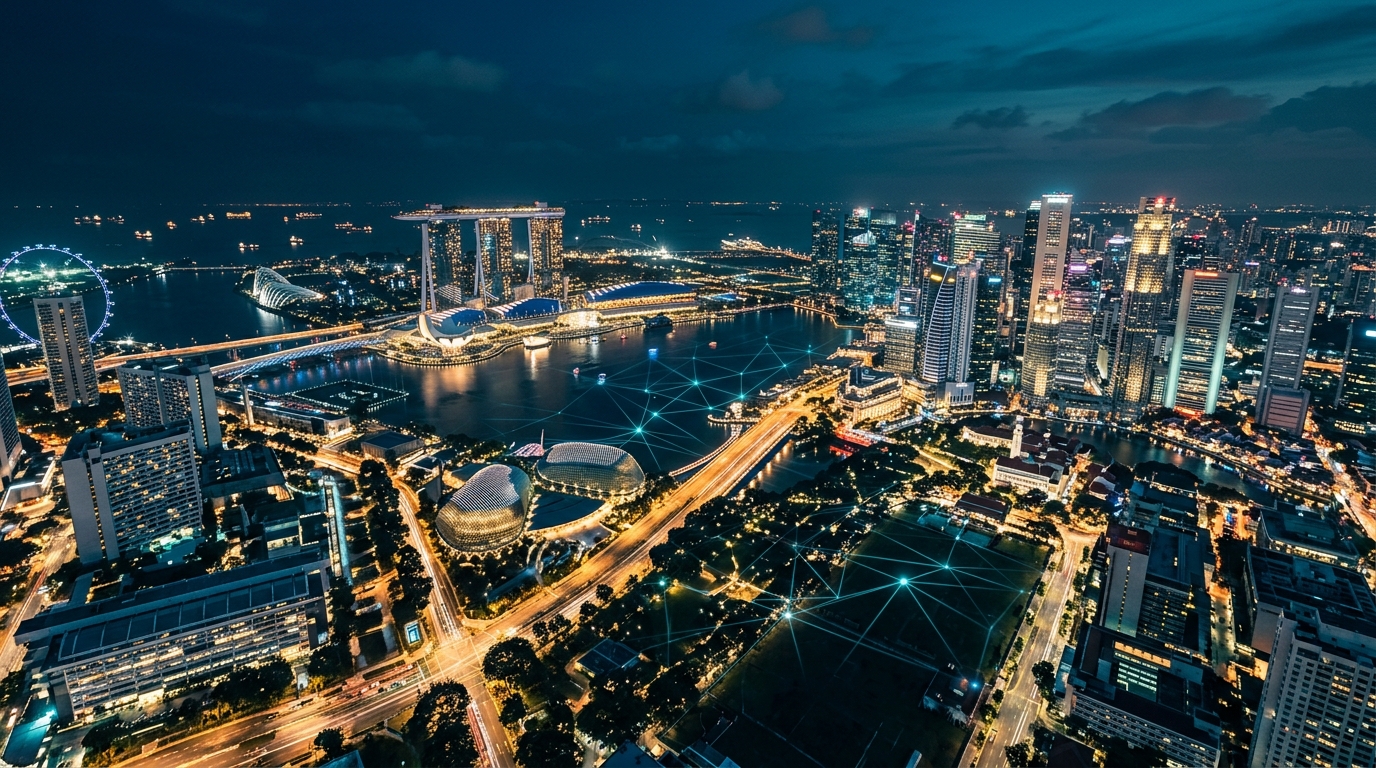
Singapore's urban core — Marina Bay, Orchard, and Changi — represents the island's densest 5G deployment as of 2026.
Published by sirnba editorial team
Last reviewed: June 2026 · Accuracy verified against Singtel, Circles.Life, and IMDA published data
eSIM FAQ for Singapore Tourists
Straight answers to the questions travellers ask most before and after landing in Singapore.
Generally, no — a carrier-locked phone will only accept eSIM profiles from the network it's locked to, which means a tourist eSIM from a Singapore operator won't activate. You should check with your home carrier whether your device is unlocked before travelling. Many carriers unlock phones for free once your contract is fulfilled or upon request, so it's worth calling them a few days before your trip.
Yes, if you purchase and install your eSIM before boarding your flight, it will activate the moment your phone connects to a Singapore network — including inside Changi Airport terminals. This means you'll have data for ride-hailing and navigation the instant you land, without queuing at a SIM kiosk. Just make sure your eSIM plan's activation window hasn't expired before you arrive.
Your eSIM profile stays stored on your device even after you leave Singapore. Most tourist eSIM plans are valid for a fixed number of days from first activation, so any remaining data allowance simply expires when the plan period ends. You can delete the profile manually from your phone settings once you're done, or leave it in case you return — it won't interfere with your home SIM or other eSIM profiles.
For most tourists in Singapore, 4G LTE is already exceptionally fast and more than adequate for maps, streaming, and messaging. 5G becomes worthwhile if you're attending a large event like a concert or conference at a major venue, uploading high-resolution content, or using bandwidth-intensive AR applications. The 5G premium is usually modest — around S$3–8 extra for a week-long plan — so if you're a power user, it's a reasonable upgrade.
All three major Singapore telcos — Singtel, StarHub, and M1 — support eSIM for tourist plans. Several MVNOs and international eSIM providers like Airalo, Holafly, and Ubigi also offer Singapore coverage by roaming on these networks. Smaller prepaid-only operators may not offer eSIM, so it's best to verify before purchasing if you're going with a lesser-known provider.
Most modern smartphones support storing multiple eSIM profiles simultaneously, but the number of profiles you can use at the same time (Dual SIM Dual Standby) depends on your device model. iPhones from XS onwards and many Android flagships allow you to keep a home eSIM active alongside a Singapore tourist eSIM, so you can receive calls on your regular number while using local data. Check your device specifications under 'Dual SIM' support to confirm this capability.
On iPhone, go to Settings → General → About and scroll down — if you see 'Available SIM' or 'EID', your device supports eSIM. On Android, go to Settings → Network & Internet → SIMs (or Mobile Network) and look for an option to 'Add SIM' or 'Download SIM'; if it's there, eSIM is supported. You can also search your exact phone model on your manufacturer's website under specifications and look for 'eSIM' or 'embedded SIM' in the connectivity section.
Prices are broadly comparable — both typically range from S$8 to S$30 for a week of data in Singapore. Physical SIM cards purchased at airport kiosks sometimes carry a convenience premium of S$3–5 over online prices. eSIM providers occasionally offer better value because they have lower distribution costs, but the real saving is time: no queueing, no risk of losing a small card, and instant activation.
Still have questions about eSIM in Singapore?
Our full eSIM deep-dive article covers activation steps, data top-ups, and operator comparisons in detail.